Notifications help you stay updated about activity on Whiskybase. You may receive them for several different reasons.
When notifications are sent
Messages from other members
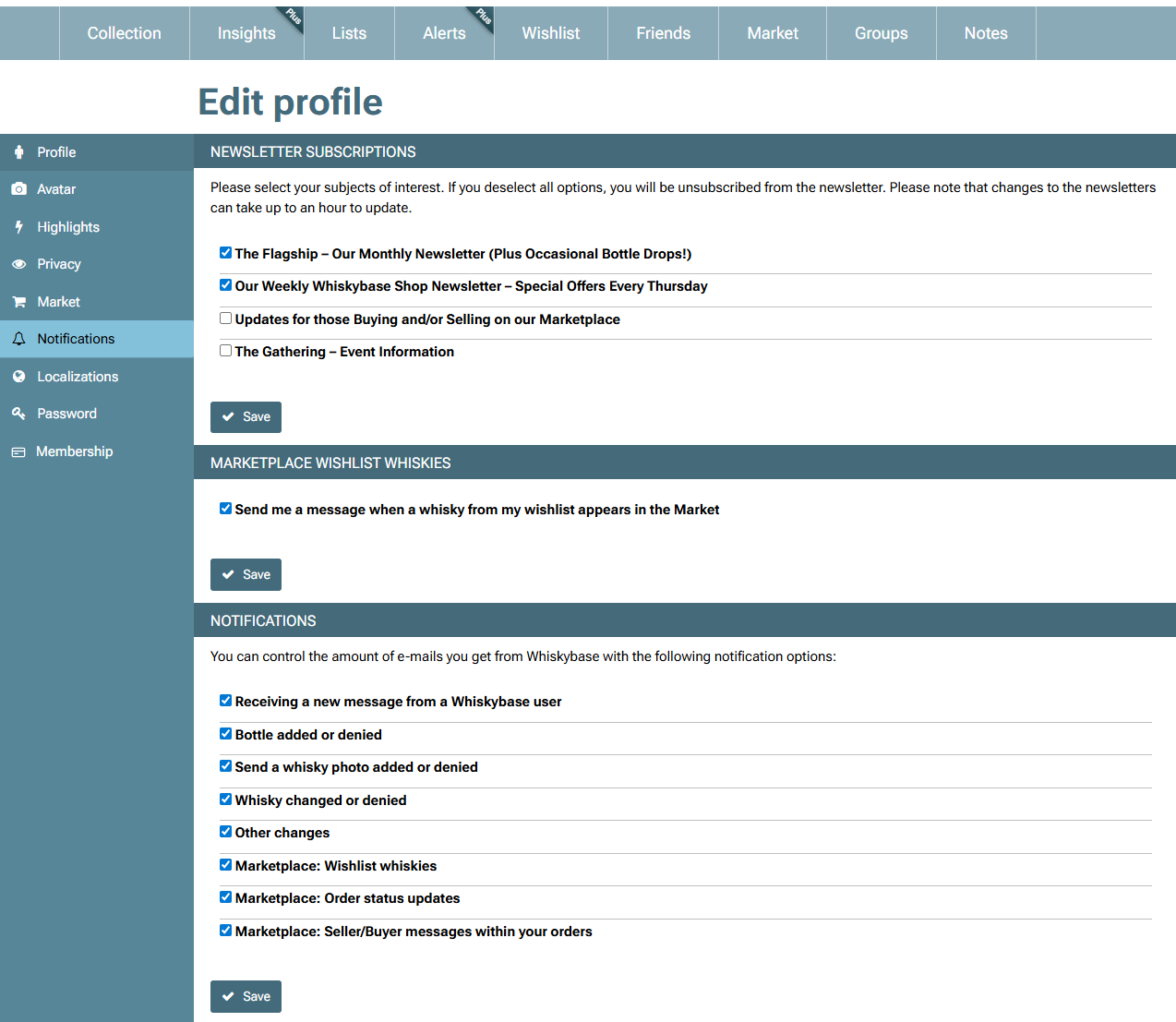
You receive a notification when another Whiskybase member sends you a message. Keep in mind that to receive messages from members who are not on your friends list, you need to enable this option manually in your Profile settings under Privacy.Bottle submissions
If you add a new bottle to the database, you will be notified when the bottle is approved or denied.Photo submissions
When you upload a photo, you will be notified once it has been reviewed and either added or denied.Bottle changes
If a whisky entry you follow is edited or denied, you may receive a notification.Wishlist updates on the Marketplace
You will be notified when a bottle on your Wishlist becomes available on the Marketplace.Marketplace order updates
You receive notifications for important order status changes, such as payment updates, shipping updates or cancellations.Messages in your orders
When a buyer, seller or admin sends you a message inside an order conversation, you will receive a notification.
How to manage your notification settings
You can adjust your notification preferences from your own profile page under Edit profile → Notifications. This allows you to choose which updates you want to receive and which you prefer to turn off. Make sure to click on "save" to update your notifications settings.
Was this article helpful?
That’s Great!
Thank you for your feedback
Sorry! We couldn't be helpful
Thank you for your feedback
Feedback sent
We appreciate your effort and will try to fix the article